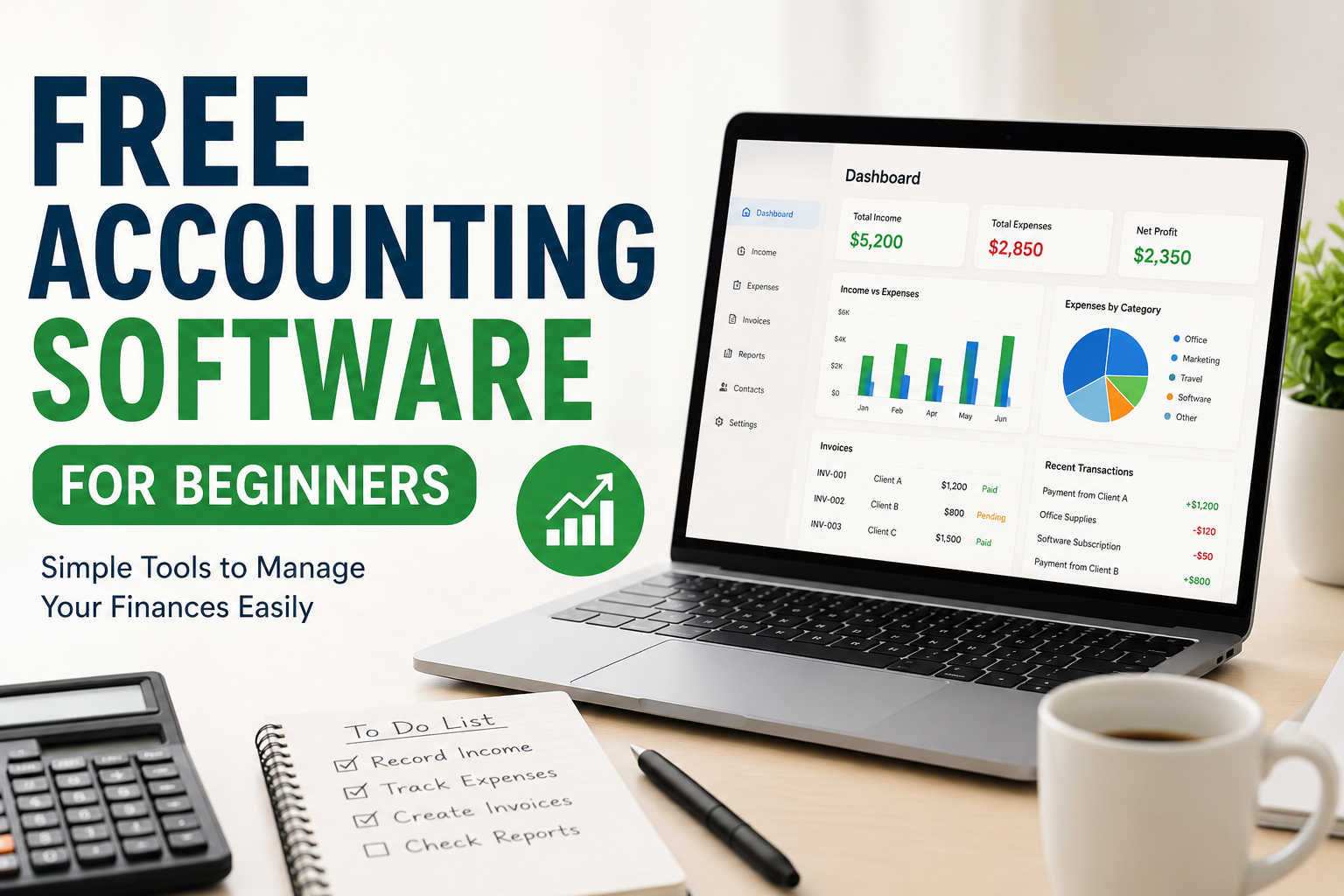
When I first started learning about accounting software, I found it a little confusing. There were so many tools available, and almost every software seemed to have different features, plans, and terms. For a beginner, this can make accounting feel more difficult than it actually is. The good thing is that you do not always need to spend money to manage basic accounting tasks. There are several free accounting software options that can help beginners understand income, expenses, invoices, payments, and financial records.
In my opinion, free accounting software is a great starting point for students, freelancers, small business owners, and anyone who wants to learn basic accounting. It allows you to practice without making a financial commitment. Once you become comfortable with accounting, you can decide whether you need more advanced features.
What Is Free Accounting Software?
Free accounting software is a program or online service that helps you manage financial information without requiring you to pay a regular subscription. Depending on the software, you may be able to record income, track expenses, create invoices, monitor payments, and organize financial transactions.
Some free accounting tools are designed for individuals and very small businesses. Others offer a free plan with limited features and provide paid plans for users who need additional functions.
From my experience, beginners should not focus only on the number of features. A simple tool that you understand is often more useful than a complicated platform filled with features you do not need.
Why Beginners Should Use Free Accounting Software
One of the biggest advantages of free accounting software is that it gives beginners an opportunity to learn. You can experiment with different accounting tasks and understand how financial records work.
For example, you can enter your monthly income and expenses and then see how your financial position changes. You can also create sample invoices and learn how payments are recorded.
Another advantage is cost. Beginners often do not have a large budget for business tools. Free software removes that barrier and allows you to start organizing your finances immediately.
I also believe that free accounting software can help people develop better financial habits. Instead of keeping receipts and payment information in random folders, you can keep your records organized in one place.
Important Features to Look For
When choosing free accounting software, I recommend looking at the features before deciding which program to use. Different people have different needs, but some features are especially useful for beginners.
Income and Expense Tracking
This is one of the most basic accounting functions. The software should allow you to record money coming into your business and money going out.
For example, if you receive payment from a customer, you can record it as income. If you purchase office supplies, you can record the expense.
This simple process can help you understand where your money is coming from and where it is going.
Invoice Creation
If you are a freelancer or small business owner, invoicing is very important. Good accounting software should make it easy to create professional invoices.
You should be able to add your business information, customer details, services, prices, and payment information. Some free tools also allow you to send invoices directly to customers.
I personally think invoice creation is one of the most useful features for beginners because it saves time and keeps payment records organized.
Expense Categories
Keeping expenses organized can make accounting much easier. A good accounting program lets you categorize expenses such as transportation, office supplies, advertising, software, and other business costs.
When everything is categorized properly, you can understand your spending habits more easily.
Financial Reports
Reports can look complicated when you are new to accounting, but basic reports are actually very useful.
Depending on the software, you may find reports showing income, expenses, profit, unpaid invoices, and other financial information.
I recommend beginners start with simple reports instead of trying to understand every accounting report immediately.
Bank Connections
Some accounting software allows you to connect your bank account so transactions can be imported automatically.
This can save time because you do not have to enter every transaction manually. However, beginners should still review imported transactions carefully to make sure everything is categorized correctly.
Easy Interface
In my opinion, the user interface is extremely important for beginners. If software is difficult to understand, you may stop using it even if it has excellent features.
Look for software with clear menus, simple terminology, and an easy dashboard. The goal should be to make accounting easier, not more stressful.
Popular Free Accounting Software Options
There are several accounting programs that beginners can explore. The best option depends on your personal needs and the features available in your country.
Wave
Wave is well known among freelancers and small businesses because it provides several basic accounting features. Depending on availability and plan changes, users may find tools for accounting, invoicing, and financial management.
I think Wave can be useful for someone who wants a straightforward way to organize basic business finances.
Zoho Books
Zoho Books is another accounting platform that offers a free option for eligible users and businesses, although the exact features and availability can depend on location and plan rules.
It can help with invoices, expenses, reports, and other accounting activities. I like the idea of using software that can grow with a business because beginners may eventually need more advanced tools.
GnuCash
GnuCash is a free and open source accounting program. It is available for desktop computers and provides many traditional accounting features.
It can be a good option for someone who wants more control over their financial records and does not want to depend entirely on a cloud based service.
However, the interface may take some time to understand. In my opinion, it is better suited to beginners who are willing to spend some time learning accounting concepts.
ZipBooks
ZipBooks provides accounting and invoicing tools, including a free plan with basic features. It can be useful for freelancers and small businesses that want to manage invoices and financial information online.
Before choosing any software, I recommend checking the current free plan because companies can change features and limitations over time.
How to Start Using Free Accounting Software
If you are completely new to accounting, do not try to learn everything in one day. Start with the basics.
First, create your account and enter your basic business or personal information. Then create categories for your income and expenses.
Next, start recording transactions. If you are using the software for a real business, enter accurate information from your receipts, invoices, and payment records.
After that, learn how to create an invoice. Create a sample invoice first if you are not comfortable sending one to a customer.
Once you have some transactions recorded, explore the reporting section. Look at your income and expenses and try to understand what the numbers mean.
This gradual approach helped me understand accounting software much better than trying to learn every feature at once.
Free Accounting Software for Freelancers
Freelancers can benefit greatly from free accounting tools. A freelancer may have several clients, different payment dates, software subscriptions, transportation expenses, and other costs.
Without proper records, it can become difficult to know how much money was actually earned.
For freelancers, I would focus on invoice creation, expense tracking, income tracking, and basic financial reports. These features can provide a simple overview of the business.
It is also important to keep personal and business expenses separate whenever possible. This makes financial management much easier.
Free Accounting Software for Small Businesses
Small business owners can also use free accounting software during the early stages of their business.
When a business is small, the owner may not need an expensive accounting system. A free tool may be enough to manage basic transactions and invoices.
However, as the business grows, accounting requirements can become more complicated. You may need payroll, inventory management, advanced reports, multiple users, tax features, or professional accounting support.
At that point, upgrading to paid software or working with an accountant may make sense.
Advantages of Free Accounting Software
There are many reasons why beginners should consider free accounting software.
The first advantage is cost. You can start without paying for a subscription.
The second advantage is learning. You can become familiar with accounting concepts while managing real or sample transactions.
The third advantage is organization. Instead of keeping financial information in notebooks or spreadsheets, you can store it in a structured system.
Another benefit is convenience. Cloud based accounting tools can often be accessed from different devices, depending on the service.
Free software can also help beginners understand whether they actually need advanced accounting features before spending money on a premium solution.
Limitations You Should Understand
Free does not always mean unlimited. Many free accounting programs have restrictions.
For example, a free plan may limit the number of invoices, users, bank connections, reports, or other features. Some services may charge additional fees for payment processing or other optional services.
Another limitation is customer support. Free users may receive fewer support options compared with paying customers.
This is why I recommend checking the current pricing and feature list before choosing software. Never assume that a free plan will include everything you need.
Is Free Accounting Software Safe?
Security should always be considered when dealing with financial information.
Before using an accounting service, check whether it uses appropriate security measures and whether the company has a good reputation. Use a strong password and enable two factor authentication when available.
You should also avoid sharing your accounting login information with other people. If you need to give someone access, use the software’s official user access features whenever possible.
It is also a good idea to keep backups or copies of important financial documents. Software can make accounting easier, but you should still take responsibility for protecting your records.
Final Thoughts
In my opinion, free accounting software is one of the easiest ways for beginners to start learning financial management. You do not need to understand complicated accounting concepts before getting started. You can begin with simple tasks such as recording income, tracking expenses, creating invoices, and checking basic reports.
The most important thing is to choose software that matches your current needs. Do not choose a complicated platform simply because it has many features. If you are a beginner, simplicity can be more valuable than advanced functionality.
As your knowledge and business grow, your accounting needs may also change. You can then move to a paid accounting solution or work with an accounting professional.
For now, a good free accounting tool can give you the foundation you need to become more organized, understand your finances, and build better financial habits without adding another expense to your budget.