When I work with a small team, one thing I have noticed is that managing tasks can become difficult very quickly. In the beginning, everything feels simple. Everyone knows what they need to do, people communicate through messages, and deadlines are easy to remember. But as the number of projects increases, things can become confusing.
Someone may forget an important task. Another person may not know which task should be completed first. Sometimes two people may even work on the same thing without realizing it. This is where simple task management software can make a big difference.
In my opinion, small teams do not always need complicated project management systems. A simple task management tool can be enough to organize daily work, assign responsibilities, track progress, and make sure deadlines are not forgotten.
In this article, I will explain what simple task management software is, why small teams can benefit from it, what features I think are important, and how to choose the right tool for your team.
What Is Task Management Software?
Task management software is a digital tool that helps teams organize and manage their work. Instead of keeping tasks in notebooks, spreadsheets, emails, or random chat messages, everything can be organized in one place.
A typical task management tool allows you to create tasks, assign them to team members, add deadlines, write notes, and track progress.
For example, imagine that a small marketing team is preparing a new website. There may be different tasks such as writing content, creating images, checking SEO, designing pages, and testing the website.
Without a proper system, these tasks can easily become difficult to manage. With task management software, the team can create separate tasks and assign each one to the right person.
I personally think the biggest advantage is visibility. Everyone can see what needs to be done and who is responsible for it.
Why Small Teams Need Task Management Software
Small teams often have fewer people, but that does not mean they have less work. In fact, I have found that people in small teams often handle several responsibilities at the same time.
One person may be writing content while also answering customers. Another person may be designing graphics and managing social media. Because everyone has multiple responsibilities, it becomes easy to forget something.
A task management system can reduce this problem.
The team can keep all important tasks in one location. Instead of asking someone repeatedly about the status of a project, team members can simply check the task management system.
This can save time and reduce unnecessary communication.
Another benefit is accountability. When a task is assigned to a specific person, there is less confusion about who should complete it.
Features I Look For in Simple Task Management Software
There are many task management tools available today, but I do not think a small team needs every possible feature.
In my opinion, a good simple task management tool should focus on the features that people actually use.
Easy Task Creation
Creating a task should be quick and simple.
I should be able to enter the task name, add a short description, choose a person responsible for it, and set a deadline without going through complicated menus.
If creating a simple task takes too much time, team members may stop using the software.
Task Assignment
Task assignment is another important feature.
A team member should be able to see which tasks belong to them. This makes responsibilities much clearer.
For example, instead of sending a message saying, “Can you prepare the report by Friday?” I can create a task, assign it to the appropriate person, and add Friday as the deadline.
This creates a clear record of the work.
Due Dates
Deadlines are extremely useful when managing several projects.
A simple task management system should allow users to add due dates and reminders. This helps team members understand which tasks require immediate attention.
I especially like tools that make overdue tasks easy to identify because they prevent important work from getting lost.
Task Priorities
Not every task has the same level of importance.
Some tasks need to be completed today, while others can wait until next week.
Priority labels can help teams organize their workload. A team could use simple labels such as high priority, normal priority, and low priority.
I believe this is much better than treating every task as equally important.
Progress Tracking
A good task management system should make it easy to understand project progress.
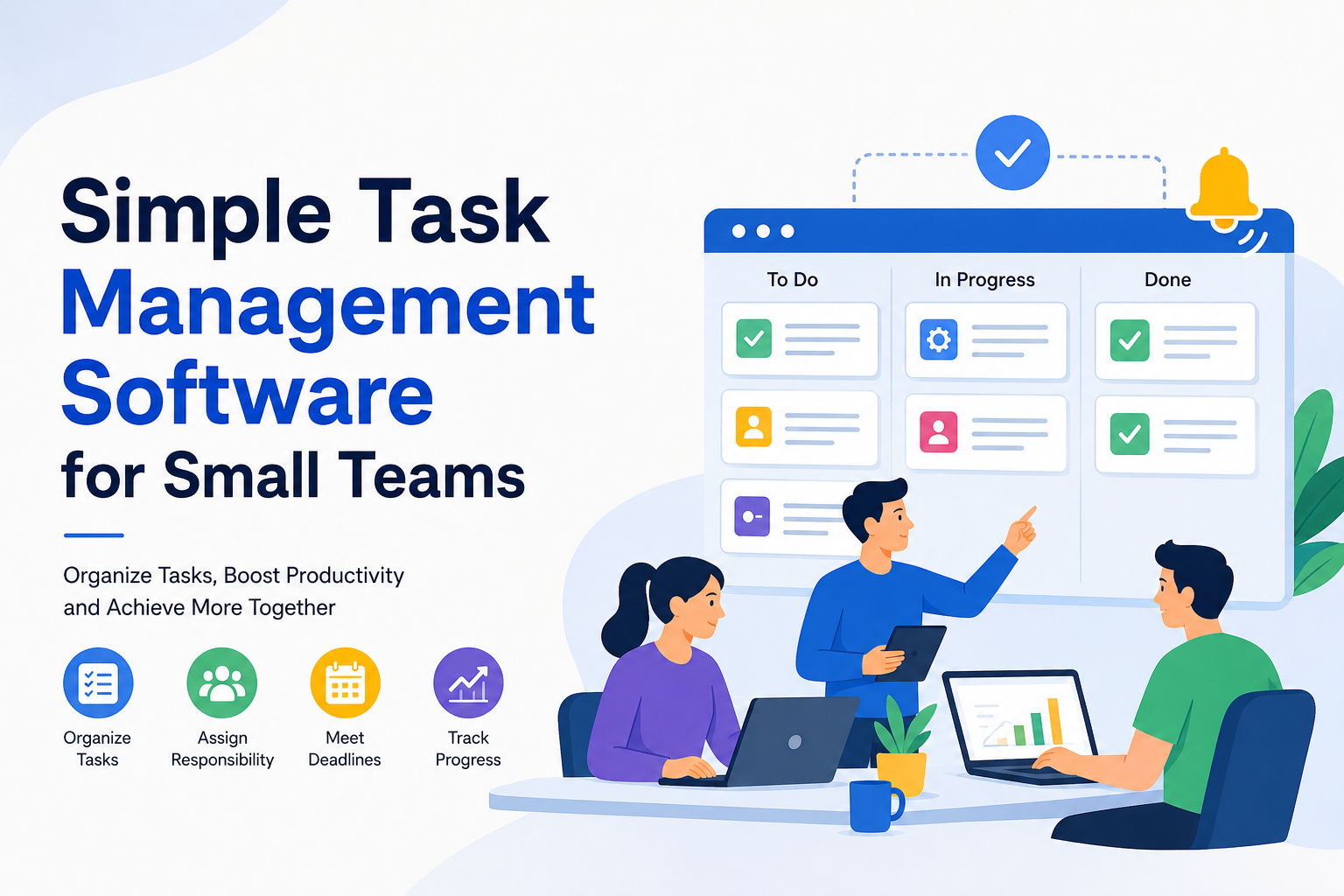
Simple statuses such as “To Do,” “In Progress,” and “Completed” are often enough for a small team.
I do not think every team needs complicated reporting systems. Sometimes a simple progress board gives a much clearer picture.
Team Collaboration
Collaboration is another useful feature.
Team members should be able to leave comments, share relevant files, and discuss tasks without searching through long email conversations.
When communication stays connected to the task, it becomes easier to understand the background of a project.
Simple Task Management Software vs Complex Project Management Tools
One mistake I see teams make is choosing software that is far more complicated than they actually need.
Large organizations may need advanced project management features, detailed reporting, resource planning, and complicated workflows.
A small team may not need all of that.
If a team only needs to organize tasks, assign responsibilities, and track deadlines, a simple task management tool can be a better choice.
In my opinion, simplicity is not a weakness. It can actually be one of the biggest advantages.
A tool that everyone understands and uses consistently is more valuable than an advanced tool that nobody wants to use.
How Task Management Software Can Improve Team Productivity
Productivity is not only about working faster. I think it is also about reducing confusion and unnecessary work.
When tasks are clearly organized, people spend less time asking questions about what they should do next.
For example, a team member can start the day by opening the task management system and checking their assigned tasks.
They can identify urgent work, complete tasks, update their progress, and move on to the next item.
This creates a simple working routine.
Task management software can also reduce the chances of forgotten tasks. When everything is written down, the team does not have to depend entirely on memory.
How I Would Organize Tasks for a Small Team
If I were setting up a task management system for a small team, I would keep the structure simple.
First, I would create separate projects for major areas of work.
For example, a website team could have projects for content, design, development, and marketing.
Inside each project, I would create individual tasks.
Each task would have a clear title, a responsible person, a deadline, and a priority when necessary.
I would also avoid creating too many categories because excessive organization can become confusing.
The goal should be to make work easier, not to create another system that requires constant management.
Common Mistakes Small Teams Should Avoid
There are several mistakes that can reduce the usefulness of task management software.
The first mistake is adding too many tasks without clear priorities. If everything is marked as urgent, nothing is really urgent.
Another mistake is creating unclear task names. A task called “Website” does not tell anyone what needs to be done.
A better task name would be something like “Review the homepage content.”
I also think teams should avoid using the software only as a task list. Team members should update task statuses so everyone knows what is happening.
Finally, teams should not choose software simply because it has hundreds of features. The most important question is whether the team can use it comfortably every day.
How to Choose the Right Tool
Choosing task management software becomes easier when you first understand your team’s needs.
I would start by asking a few simple questions.
How many people will use the software?
Do we need basic task lists or more advanced project features?
Do we need file sharing?
Do we need reminders?
Do we need integrations with other tools?
How important is mobile access?
What is our budget?
For a small team, I would prioritize ease of use over a huge feature list.
It is also worth testing a tool before making a long term commitment. Many task management platforms offer free plans or trial periods, which can help a team understand whether the software fits its workflow.
Free vs Paid Task Management Software
Many small teams naturally look for free task management software, and I think that is a reasonable place to start.
Free tools can be useful for teams with basic requirements. They may provide task lists, assignments, deadlines, and simple collaboration features.
However, paid plans can provide additional storage, automation, integrations, reporting, and advanced collaboration options.
I would not recommend paying for features that your team will never use.
Instead, start with your actual requirements. If the free version handles your workflow comfortably, there may be no reason to upgrade.
Final Thoughts
In my opinion, simple task management software can be one of the most useful tools for a small team.
The main purpose is not to make work more complicated. It is to make responsibilities clearer and help everyone understand what needs to happen next.
A good system can keep tasks organized, improve communication, reduce forgotten deadlines, and make project progress easier to understand.
I believe the best task management software is not necessarily the one with the largest number of features. It is the one that your team actually enjoys using.
For a small team, I would start with the basics. Create clear tasks, assign them to the right people, set realistic deadlines, use simple priorities, and update progress regularly.
Once your team becomes comfortable with this workflow, you can decide whether you need additional features.
The most important thing is consistency. Even the simplest task management system can be extremely effective when everyone uses it properly.
For me, the real value of task management software is peace of mind. Instead of keeping dozens of tasks in my head, I can put them into a clear system and focus on getting the work done. That is exactly what a good task management tool should help a small team achieve.