Taking notes has always been a normal part of my daily routine. Whether I am studying something new, attending an online meeting, watching an educational video, or researching a topic for an article, I often need to save important information somewhere. The problem is that traditional note taking can take a lot of time. Sometimes I am so busy writing everything down that I miss what the speaker is actually saying.
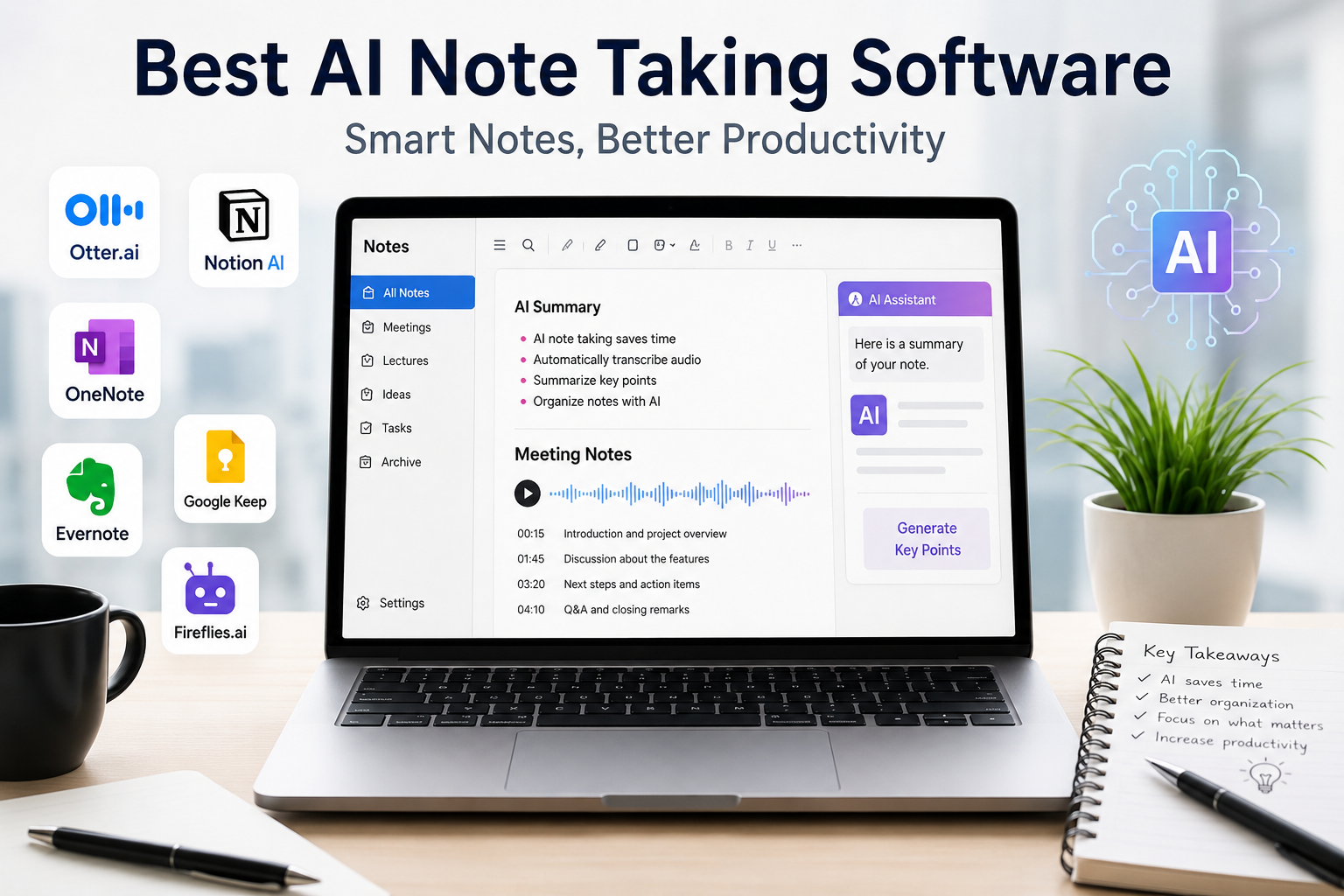
This is where AI note taking software has become useful for me. These tools can listen to conversations, understand important information, create summaries, organize notes, and sometimes even help me find specific details later. Instead of spending most of my time typing, I can focus more on understanding the discussion.
In this article, I will share my thoughts about some of the best AI note taking software and explain what makes each option useful.
What Is AI Note Taking Software?
AI note taking software uses artificial intelligence to help users capture and organize information. Depending on the software, it can record audio, convert speech into text, identify important points, create summaries, and organize information automatically.
For example, imagine attending a one hour online meeting. Normally, I might write several pages of notes during the meeting. With an AI note taking tool, I can allow the software to transcribe the conversation and create a shorter summary afterward.
This can save a significant amount of time.
AI note taking software can be useful for students, teachers, employees, business owners, researchers, content creators, and anyone who regularly works with large amounts of information.
Why I Like AI Note Taking Tools
The biggest advantage I see in AI note taking software is convenience. When I am listening to a meeting or lecture, I do not have to concentrate on writing every sentence.
Another benefit is that AI can organize information much faster than I can. Instead of going through pages of handwritten notes, I can look at a summary and quickly understand the main ideas.
I also find AI notes useful when I need to remember something from an older conversation. Searching through a long document can be frustrating, while searchable transcripts make it much easier to find specific information.
However, I do not think AI should completely replace human note taking. I still prefer to write down my own thoughts, questions, and important ideas when something requires deeper understanding.
1. Otter.ai
Otter.ai is one of the popular AI note taking platforms that I would consider when transcription is the main priority. It can convert spoken conversations into written text and is particularly useful for meetings, interviews, lectures, and discussions.
What I like about this type of tool is that I can focus on the conversation instead of trying to type everything. Afterward, I can review the transcript and identify important parts.
Otter.ai also provides features designed around meetings and collaboration. This makes it useful for teams that regularly hold online meetings.
For students, it can also be helpful when reviewing lectures, although I would still recommend checking the generated transcript because AI transcription can sometimes misunderstand words.
2. Notion AI
Notion is already popular as a workspace for notes, documents, projects, and task management. With its AI features, it can become even more useful for organizing information.
I personally like the idea of keeping notes, tasks, documents, and project information in one place. Instead of using separate applications for everything, I can create a workspace where information stays organized.
Notion AI can help summarize text, improve written content, extract important information, and assist with brainstorming.
For students and content creators, this can be especially useful. I can create a research page, add my notes, and then use AI to organize the information into a clearer structure.
The main advantage for me is not simply AI. It is the combination of AI with a flexible note taking system.
3. Microsoft OneNote with AI Features
Microsoft OneNote has been a reliable note taking application for many years. It is especially useful for people who already use Microsoft products.
OneNote allows me to organize information into notebooks, sections, and pages. This structure makes it suitable for study notes, work documents, meeting information, and personal projects.
With Microsoft’s growing AI capabilities, users can get additional help with summarizing and working with information.
What I like about OneNote is that it does not feel limited to simple text notes. I can combine text, images, drawings, and other information in one place.
For someone already using Microsoft 365, OneNote can be a practical choice because it fits naturally into the existing Microsoft ecosystem.
4. Google Keep and Gemini
Google Keep is a simple note taking application, but Google’s AI tools can make the overall Google ecosystem more useful for managing information.
I like Google Keep because it is straightforward. I can quickly create a note, save an idea, make a checklist, or write something that I do not want to forget.
For more advanced AI work, Google’s Gemini can help users summarize and organize information depending on the Google services and features available to them.
The main strength here is simplicity. If I only need quick notes and already use Google services, I do not necessarily need a complicated note taking platform.
5. Evernote
Evernote has been one of the well known names in digital note taking for a long time. It provides tools for capturing and organizing information across different devices.
I find Evernote interesting because it is designed around collecting information. Users can create notebooks, save documents, organize notes, and search through their information.
AI powered features can make it easier to find information and work with saved notes.
For people who have years of information stored digitally, an organized system like Evernote can be valuable. The important thing is to create a structure that makes sense instead of simply saving everything without organization.
6. Fireflies.ai
Fireflies.ai is another AI powered tool focused strongly on meetings and conversations.
The main purpose is to record and transcribe meetings so users can review them later. This can be useful for businesses, remote teams, interviews, and online discussions.
One thing I appreciate about meeting focused AI software is that it can reduce the pressure of remembering every detail.
After a meeting, I may only remember the general discussion. A transcript and summary can help me check specific decisions, questions, or action items.
For teams that have many meetings every week, this type of software can potentially save a lot of time.
7. Fathom
Fathom is another tool designed around AI meeting assistance. It can help capture meeting conversations and provide summaries.
I think tools like Fathom are particularly useful for people who spend a large part of their working day in online meetings.
Instead of manually creating meeting notes, users can focus on the actual conversation. Afterward, the AI generated information can be reviewed and used for follow up tasks.
For sales teams, consultants, managers, and remote workers, this can be a practical way to keep track of conversations.
How to Choose the Best AI Note Taking Software
I do not think there is one AI note taking application that is perfect for everyone. The best choice depends on what you actually need.
If your main purpose is meeting transcription, you should look for software that is strong at recording, transcription, summaries, and action items.
If you are a student, you may prefer a tool that combines notes with organization and study features.
If you are a writer or researcher, searchable notes and strong organization may be more important.
I also recommend checking the pricing before becoming dependent on a particular service. Some platforms provide free plans, while advanced features may require a subscription.
Privacy is another important factor. If you are recording meetings or conversations, you should understand how the software handles your recordings and transcripts. You should also make sure that recording people is allowed under the applicable rules and that participants are informed when necessary.
Are AI Note Taking Tools Accurate?
AI note taking tools have improved considerably, but I would never assume that every generated note is perfect.
Background noise, accents, technical words, multiple people speaking at the same time, and poor audio quality can affect transcription accuracy.
For important meetings or academic information, I recommend reviewing the AI generated notes before relying on them.
I see AI as an assistant rather than a replacement for my own judgment.
My Final Thoughts
AI note taking software has changed the way I think about digital notes. Instead of treating note taking as a task that requires constant typing, I can use AI to capture information and organize it afterward.
Tools such as Otter.ai, Notion AI, Microsoft OneNote, Google Keep with Google’s AI ecosystem, Evernote, Fireflies.ai, and Fathom offer different approaches to the same basic problem.
For me, the best tool depends on the situation. If I need meeting transcription, I would look toward a meeting focused AI tool. If I need a complete workspace for notes and projects, I would consider a platform such as Notion. If I already work heavily inside Microsoft’s ecosystem, OneNote can make more sense.
The most important thing is not choosing the tool with the longest list of features. It is choosing software that fits naturally into the way I work or study.
AI can save time, reduce repetitive work, and make information easier to find. But I still believe that the most valuable part of note taking is understanding the information. AI can help me capture and organize my thoughts, but the final understanding still comes from me.
That is why I see AI note taking software as a helpful assistant rather than a replacement for human thinking.